Replay the market.
Then trade it for real.
Bar-by-bar replay and live trading against your own MetaTrader 5 terminal. Prices come straight from your broker through an Expert Advisor you run yourself — they never pass through anyone else's server.
No card. The EA is free and stays free, whatever plan you are on.
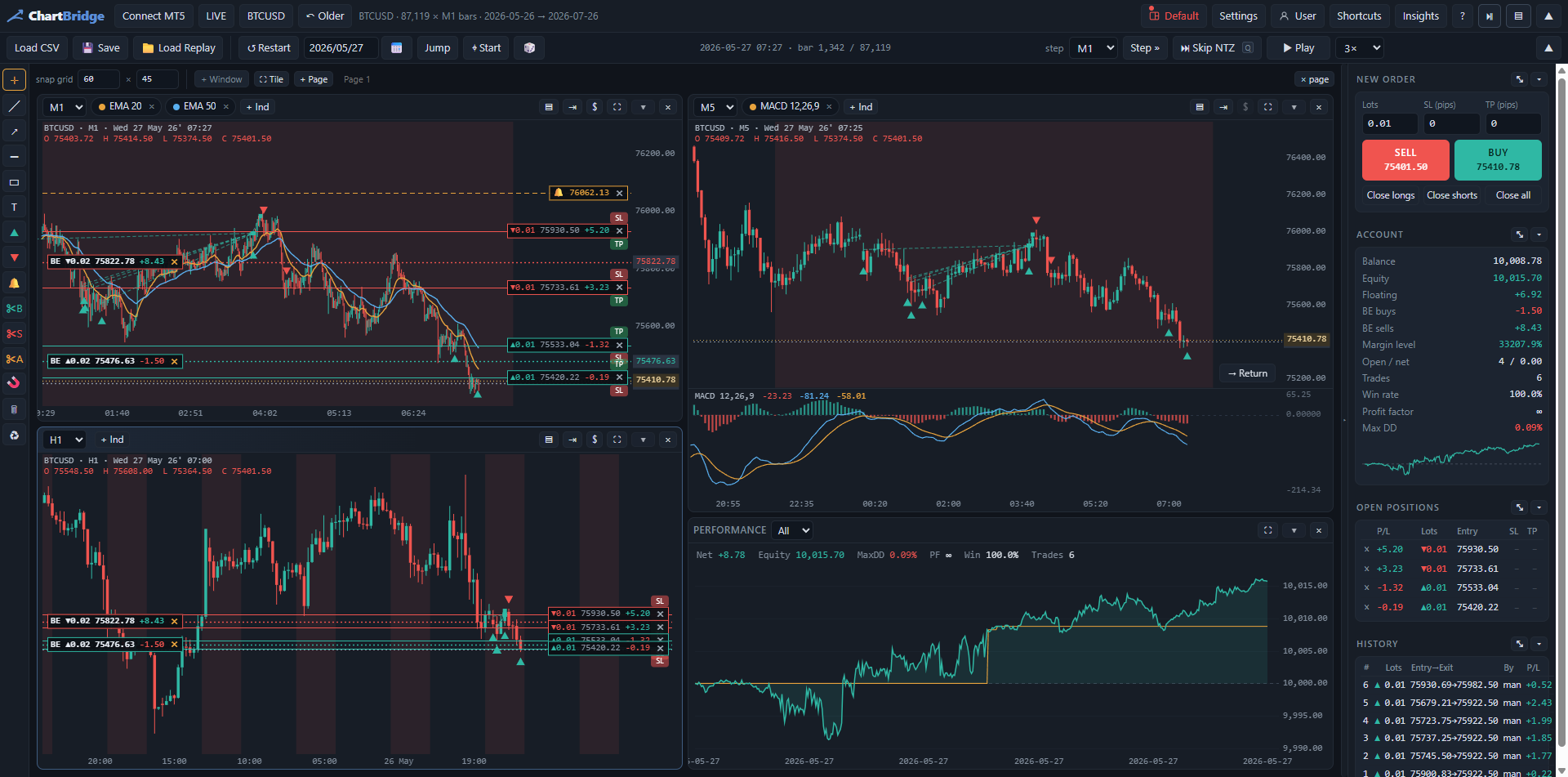
See it working
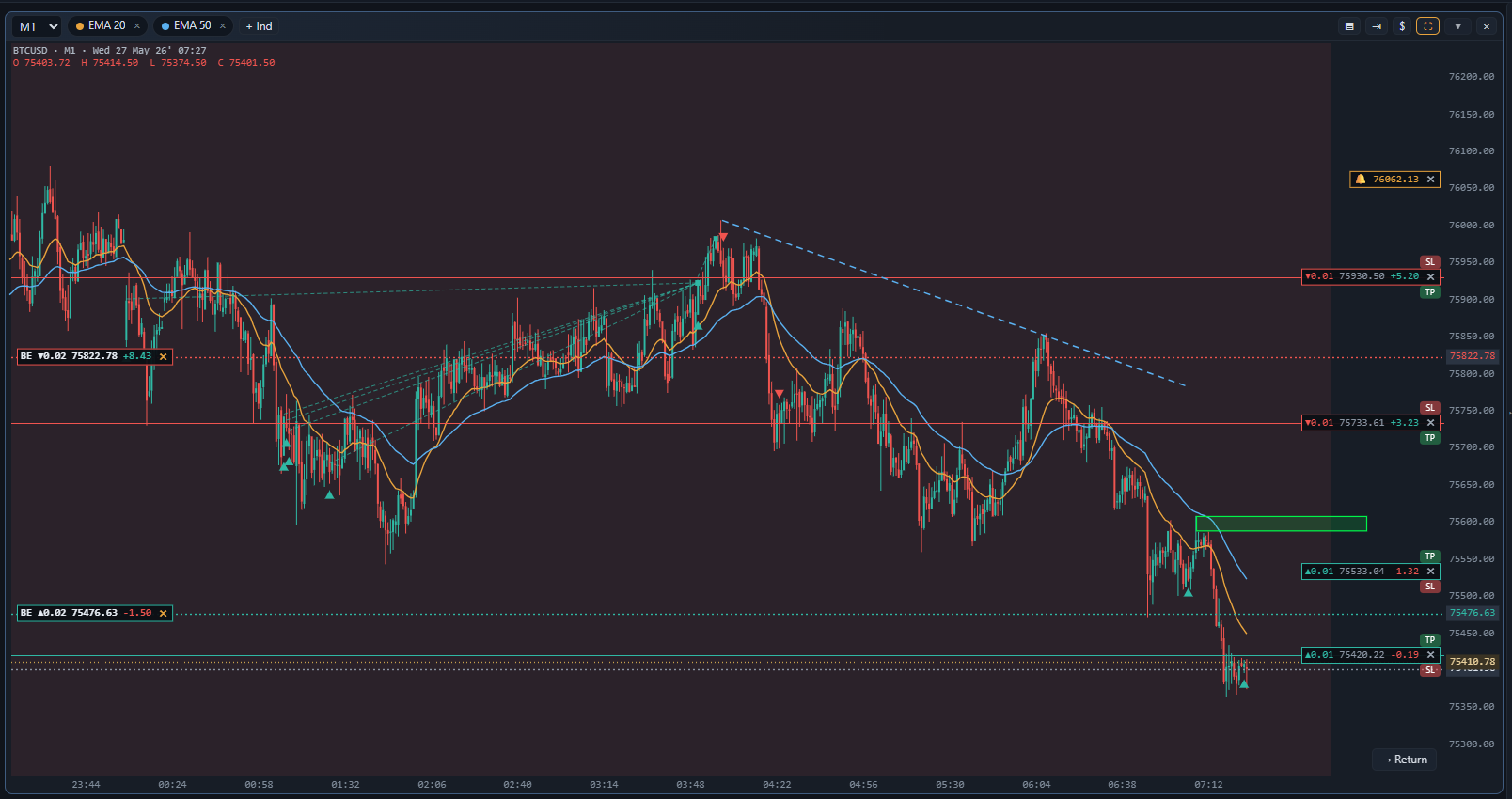
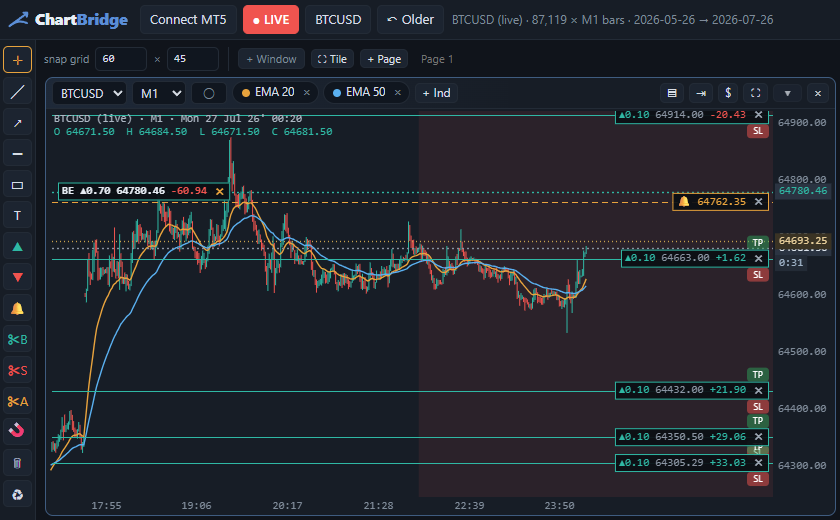
Why it is different
Replay, honestly
Step candle by candle at your own pace, with the right-hand edge hidden. Spread, commission and swap are charged the way your broker charges them, so a good replay result means something.
Your terminal, your data
A small Expert Advisor opens a bridge on your own PC and the website talks to that. Nobody in the middle, no data feed to pay for, no delay.
We hold almost nothing
Your email, your username, a one-way hash of your password, your plan. Layouts and indicators only if you ask us to sync them. No trades, ever.
Set up in three steps
- Attach the EADownload it, drop it on any chart in MT5, tick “Allow DLL imports”. It opens a bridge on your own machine.
- Copy the tokenThe setup panel on the chart shows an address and an access token, both in boxes you can select and copy.
- Connect and goSign in here, press Connect MT5, paste them in. That is the whole setup — there is no step four.
What you need
- MetaTrader 5 on Windows, with any broker
- A browser — Chrome, Edge, Firefox or Brave
- Ten minutes, most of it waiting for MT5
Trading through the bridge is off until you switch it on, and it names the account it would trade before you do.
Get startedStraight answers
Does my broker data go to your server?
No. The browser talks to the EA on your own machine over a loopback connection. We never see a price or a position.
Can I use it on more than one computer?
Yes. Sign in anywhere and your layouts, settings and custom indicators follow you — if you turn that on. Otherwise they stay on the machine that made them.
What happens if I stop paying?
The EA keeps running and your data stays where it always was: on your machine. The website stops opening the charts, which is the part you were paying for.
Is it safe to let it trade?
Trading is off by default and has to be switched on in the EA itself, on the terminal, where it names the account. Test on a demo account first — every time.
Free while we build
Everything is open at the moment — no card, no trial clock. Paid plans arrive later, and the EA stays free either way.
Create your accountTrading carries risk. ChartBridge is a charting and execution tool; nothing in it is investment advice, and replay results do not predict live results.